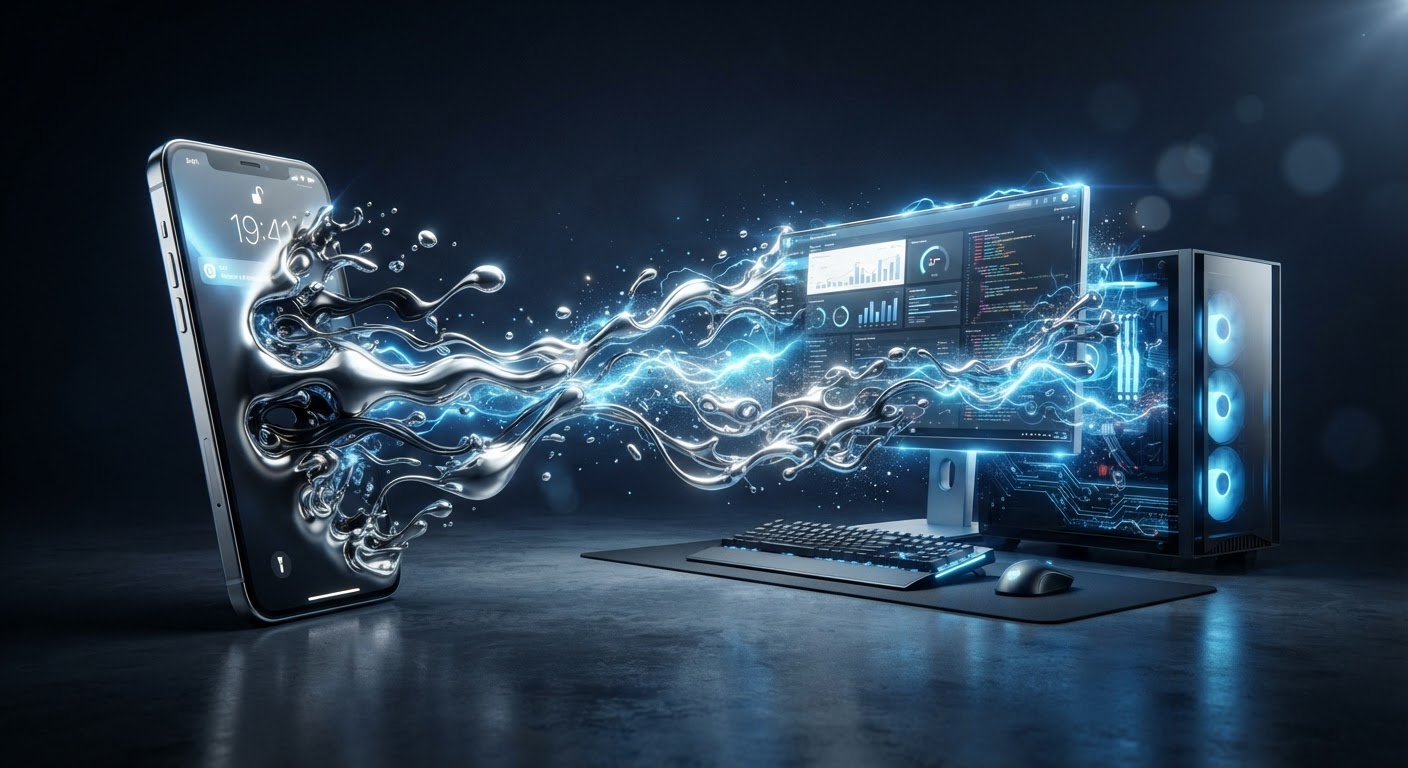
The End of Legacy Desktop OS: XRAndroid Takes Control
The era of traditional Windows, macOS, and Linux PCs is over. XR Computing Inc. has identified the only working models for the future of spatial computing, contrast to the failed "heavy brick" attempts of Microsoft, Apple, Meta, and Google.
[STATUS] All 3 innovation models and XRAndroid ownership are fully available today using existing phones and Android features. They are pending only on global mass marketing, as the majority of users are simply unaware of these superior alternatives.
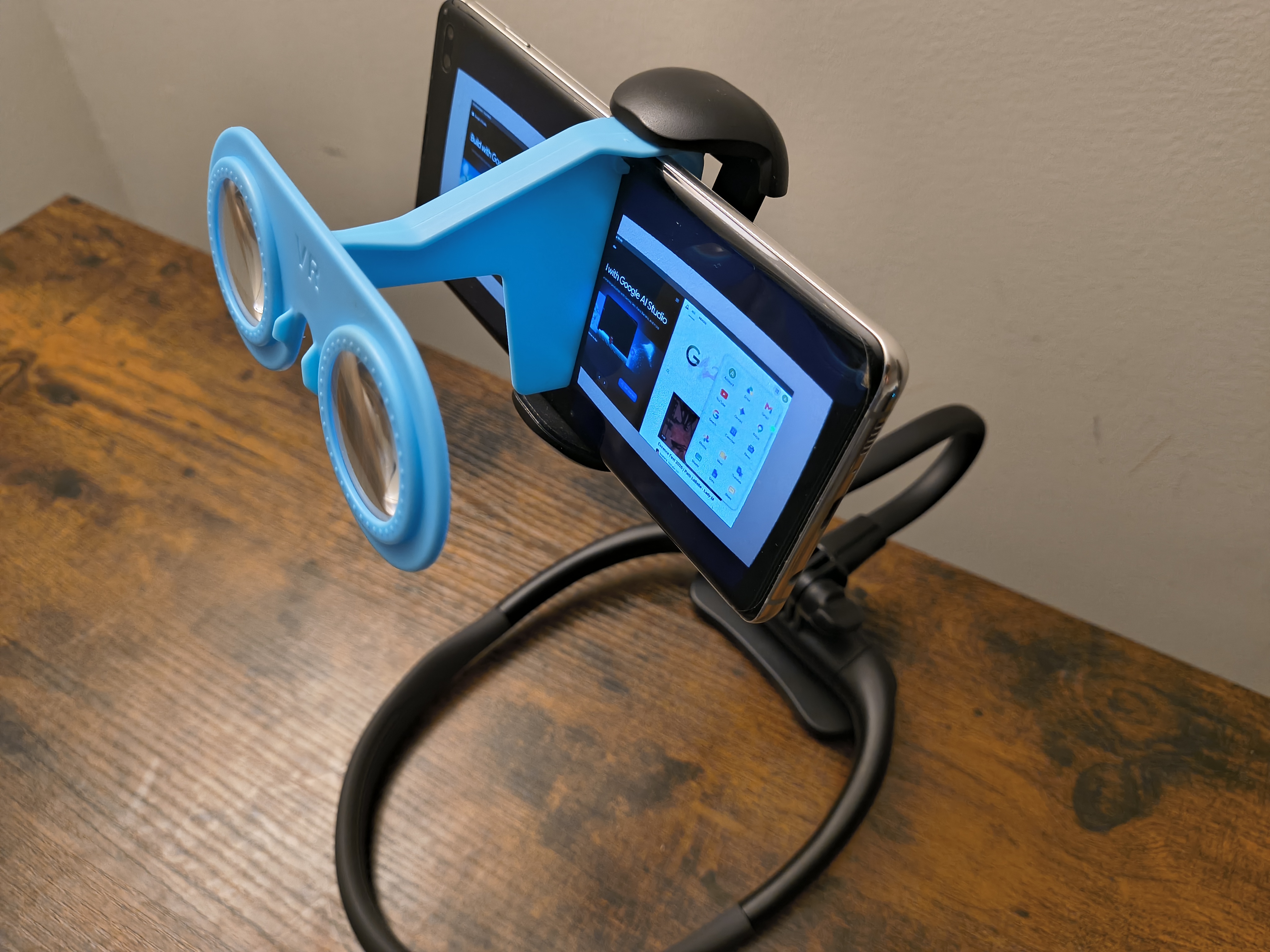
1. 4K XR Workstation app & accessories (mini XR glasses, neck phone holder) and 4K MR Android Desktop on smartphone
High-performance native 4K spatial productivity for the existing 3 billion Android smartphones.
Ready Out-of-Box
2. XR glasses (Rayneo Air 4 Pro, Vizo Z1 Pro, etc.) and Android Desktop & virtual inputs on smartphone
The ultimate split-compute experience: Native Android Desktop productivity using existing lightweight glasses.
No R&D Risk
3. XR glasses & neck/streaming devices (Viture Luma Ultra & Pro Neckband, Xreal One Pro & Beam Pro, InAir 2 Pro & Pod, etc.) and Android XR w/o smartphone
Total XR freedom. The final evolution utilizing existing Android XR systems.
Immediate Dominance
XRAndroid is the successor platform, owned and optimized by XR Computing Inc. to lead this three-pillar dominance by incorporating the best features of existing Android XR operating systems.
The World's Most Abundant Resources
XR Computing Inc. has secured a dominant strategic position by freely utilizing the vast infrastructure and products of global tech giants. By transforming these legacy resources into the standard XRAndroid platform, we operate with maximum efficiency and zero legal friction.
Our customer base is universal: every phone and PC user on the planet is a potential customer. Everyone is invited to join us now to easily and quickly win together in the spatial era.
XR Computing Inc.: The XRAndroid AI & Web Port Revolution
Most applications have already been ported to high-performance Web, AI, or Native XRAndroid versions. Traditional systems are becoming obsolete. As the new owners of the XRAndroid platform, we provide superior AI-powered alternatives like Google AI Studio, AntiGravity, and Android Code Studio.
The future of productivity is here, fully integrated into the XR Computing Inc. XRAndroid AI ecosystem.
Unbeatable Value & Ergonomics
Why pay for the "Apple Tax" or wear a heavy brick on your face? XR Workstation offers the most lightweight and cost-effective professional spatial experience on the planet.
Ultra-Lightweight
Stop the neck strain. While Apple Vision Pro and Meta Quest devices are notoriously heavy, our solution leverages your existing phone, making it the lightest professional XR setup available.
Zero Neck Fatigue
Disruptive Pricing
Experience the future for $30. This includes a neck phone holder and mini VR glasses. Our app is currently $9.99 for Early Adopters.
99% Cost Savings
The XRAndroid Platform
Powered by the world's most advanced OS, Office, AI, and Cloud infrastructure. With XRAndroid, we are setting the standard for every computing domain: from Embedded and Mobile to Desktop, Workstation, Server, and Cloud.
Microsoft & PC Replacement
The legacy stack is obsolete. XRAndroid is now the dominant OS, replacing Microsoft and traditional PCs across OS, Office, Cloud, Search, and AI. Most desktop applications have been replaced by native XRAndroid versions, while remaining big-screen apps are being ported to high-performance Web, AI, or XRAndroid-based alternatives. Traditional PCs have been superseded by our 3 Innovations (Software, Synergy, and Total XR freedom). Android apps are natively modern and more adaptive to XR UI/interactions besides their superior mobility and usability.
Total Computing Domains Dominance
We are leveraging our dominance in the personal computing OS layer to build or acquire Linux/Ubuntu that already dominated all other computing domains except for mobile and desktop computing. This strategy establishes XRAndroid as the singular standard across all computing domains: from Embedded and Mobile to Desktop, Workstation, Server, and Cloud Computing.
XRAndroid Workstation in Action
The big screen always follows you, and middle-finger curling dominated inputs are smooth and convenient in any body pose or time.
Our app supports a wide variety of devices on the XRAndroid platform. With a neck phone holder and mini VR glasses, you can simply rotate your body
like rotating your head—without wearing a "heavy brick" on your face.
We have built the most affordable, accessible, versatile, portable, and weightless AndroidAll PC and MR device on the market!
4K XR Signs Productivity
Native Android Desktop
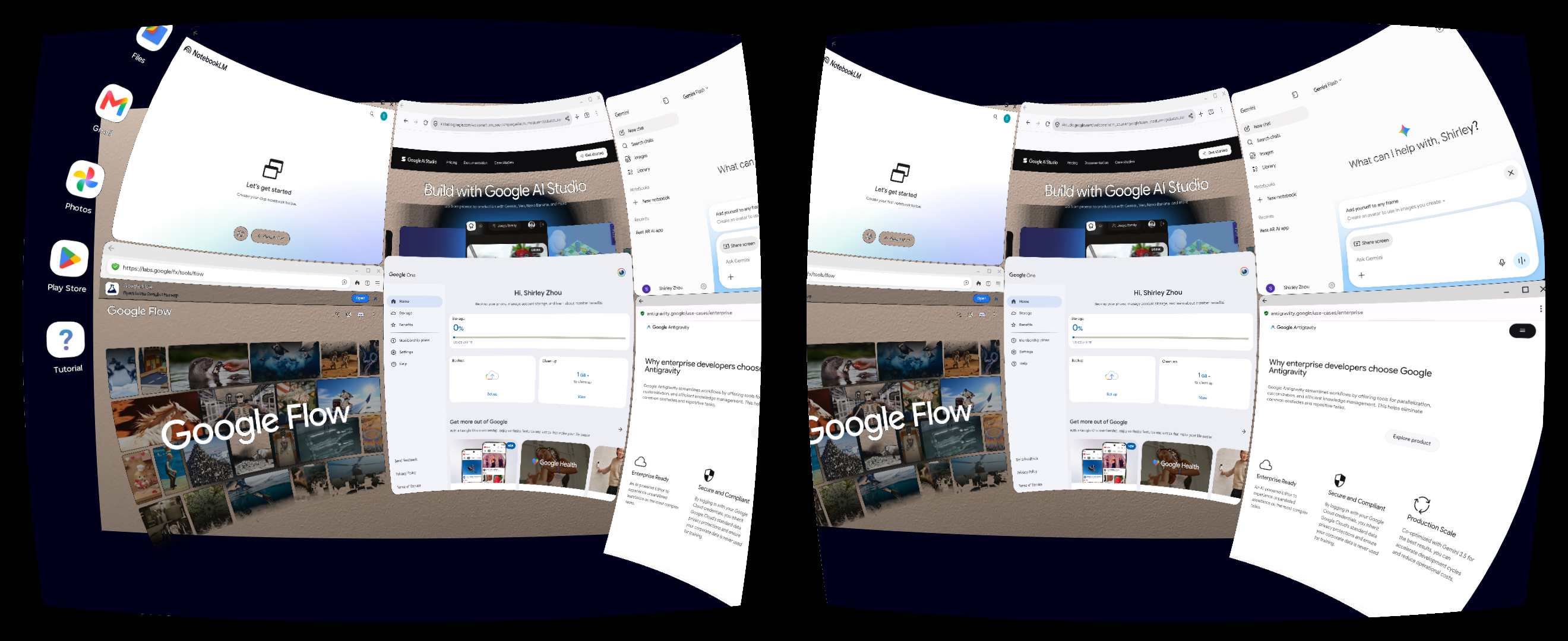
4K AI XR Productivity
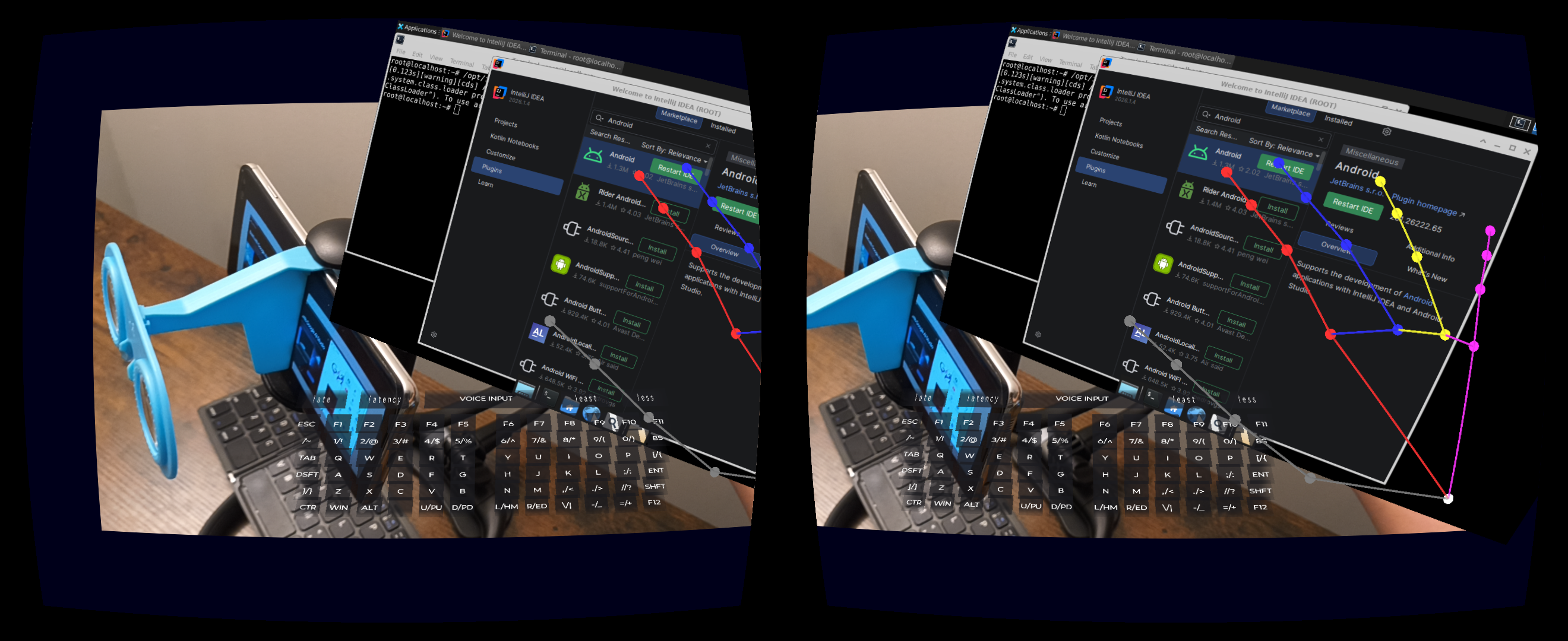
Pro Spatial Desk
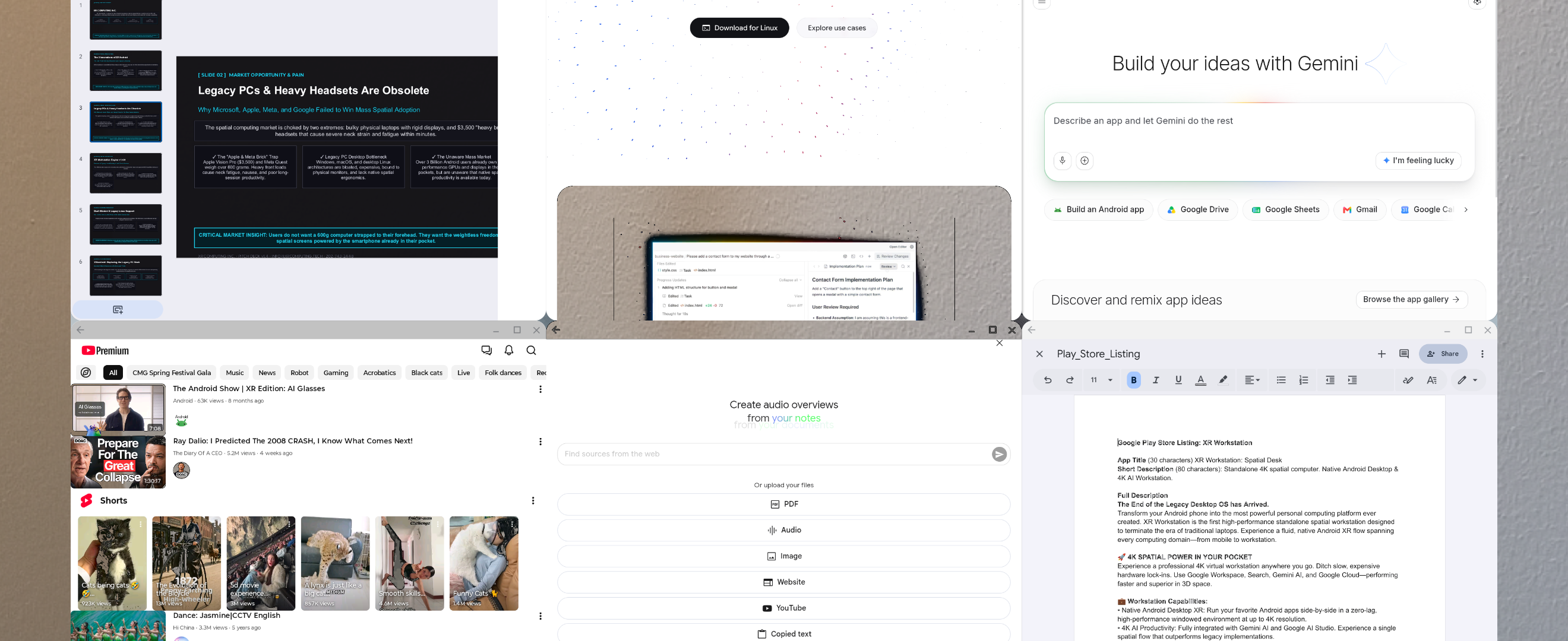
Mono Mode Android Desktop
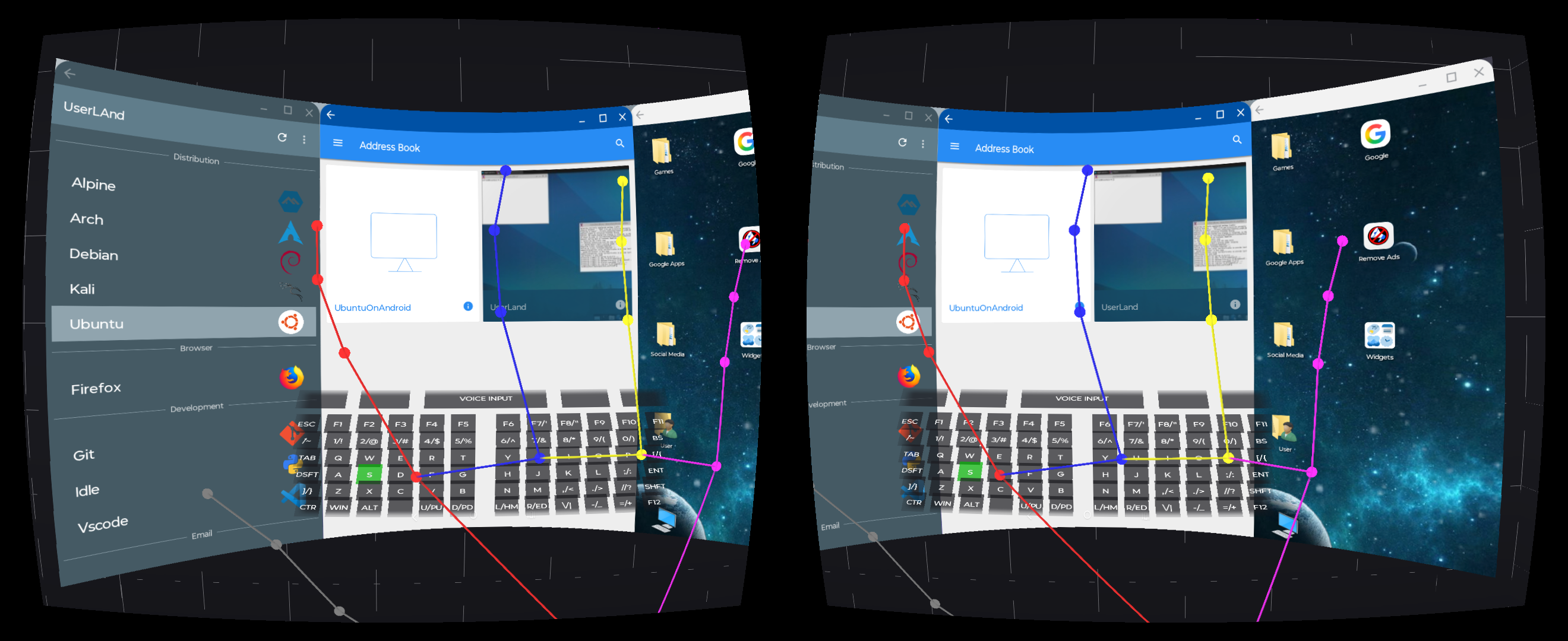
Legacy Linux Support
Weightless MR Passthrough
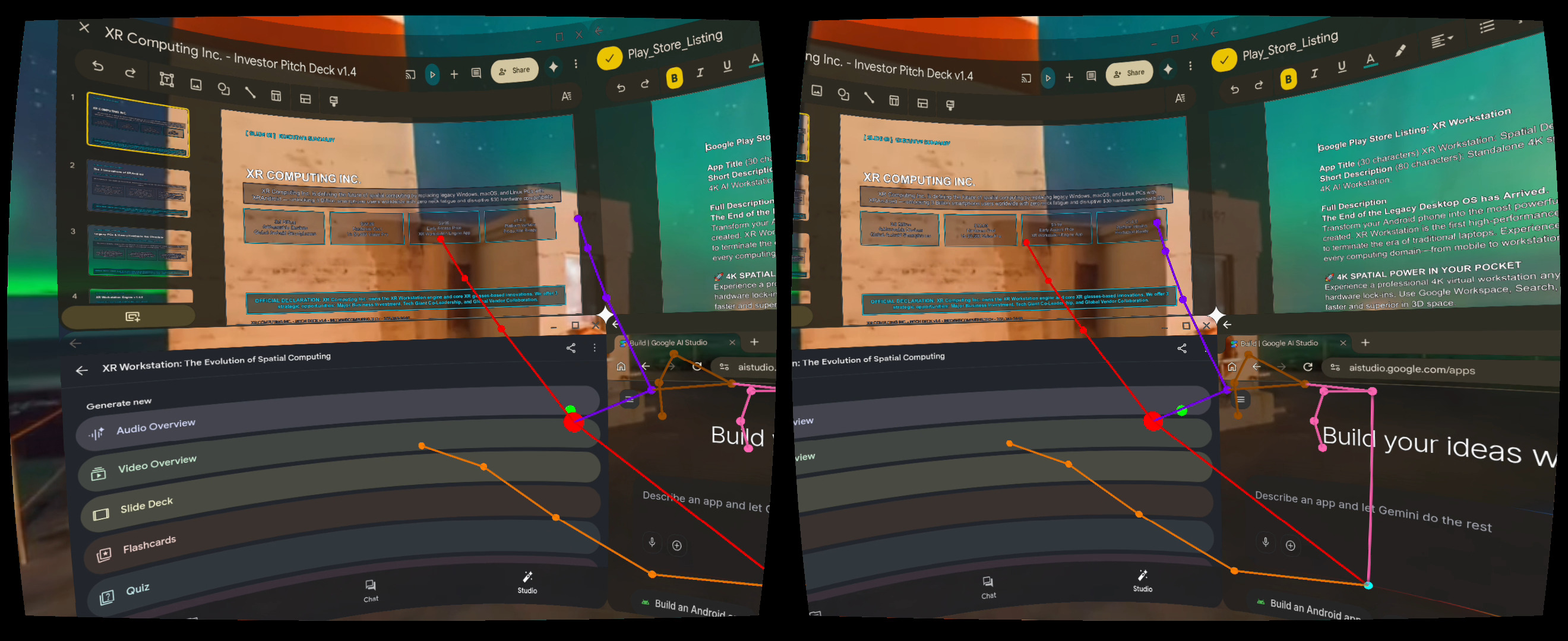
Live 360 & VR Environments
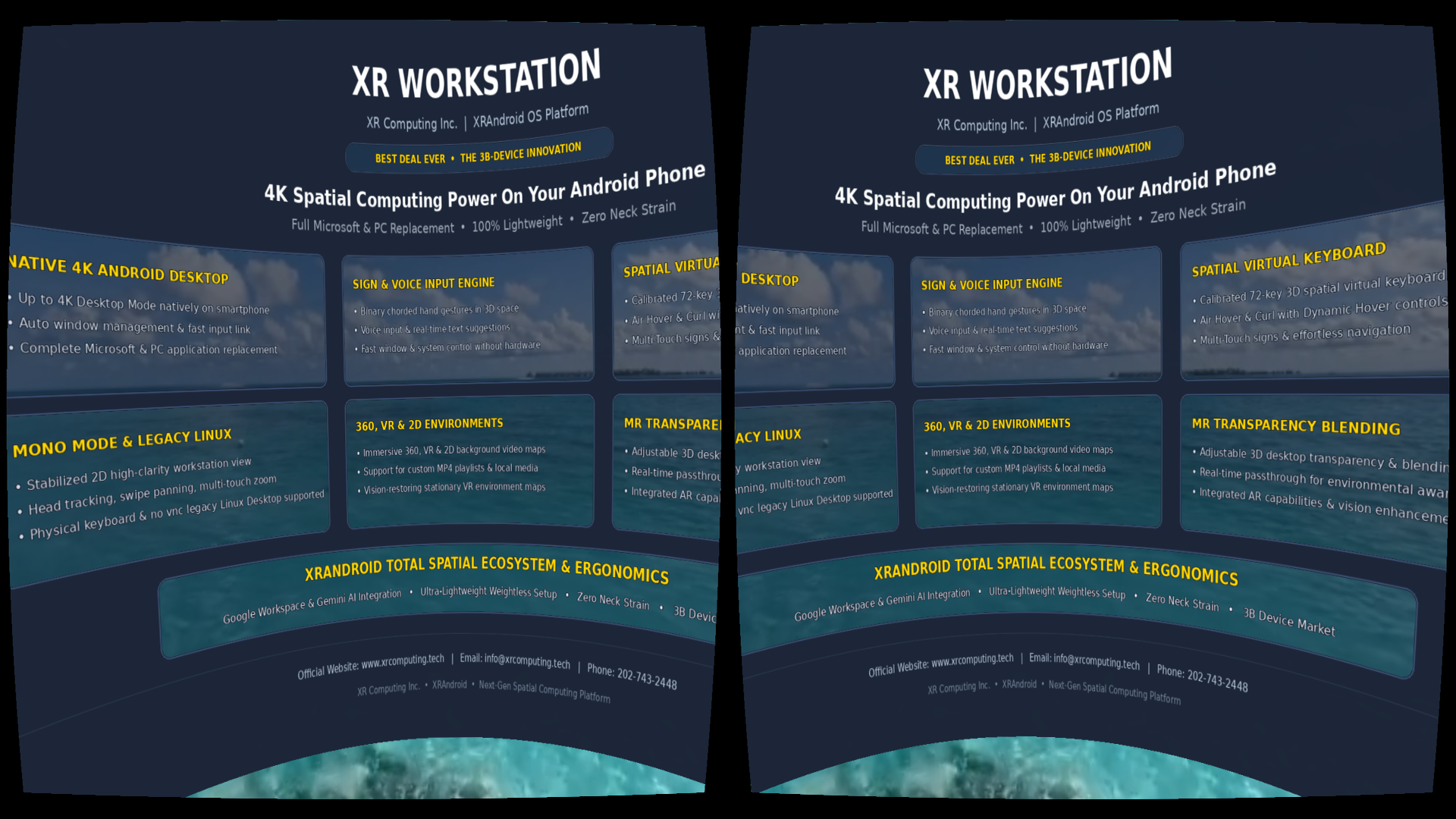
XR Workstation Ecosystem
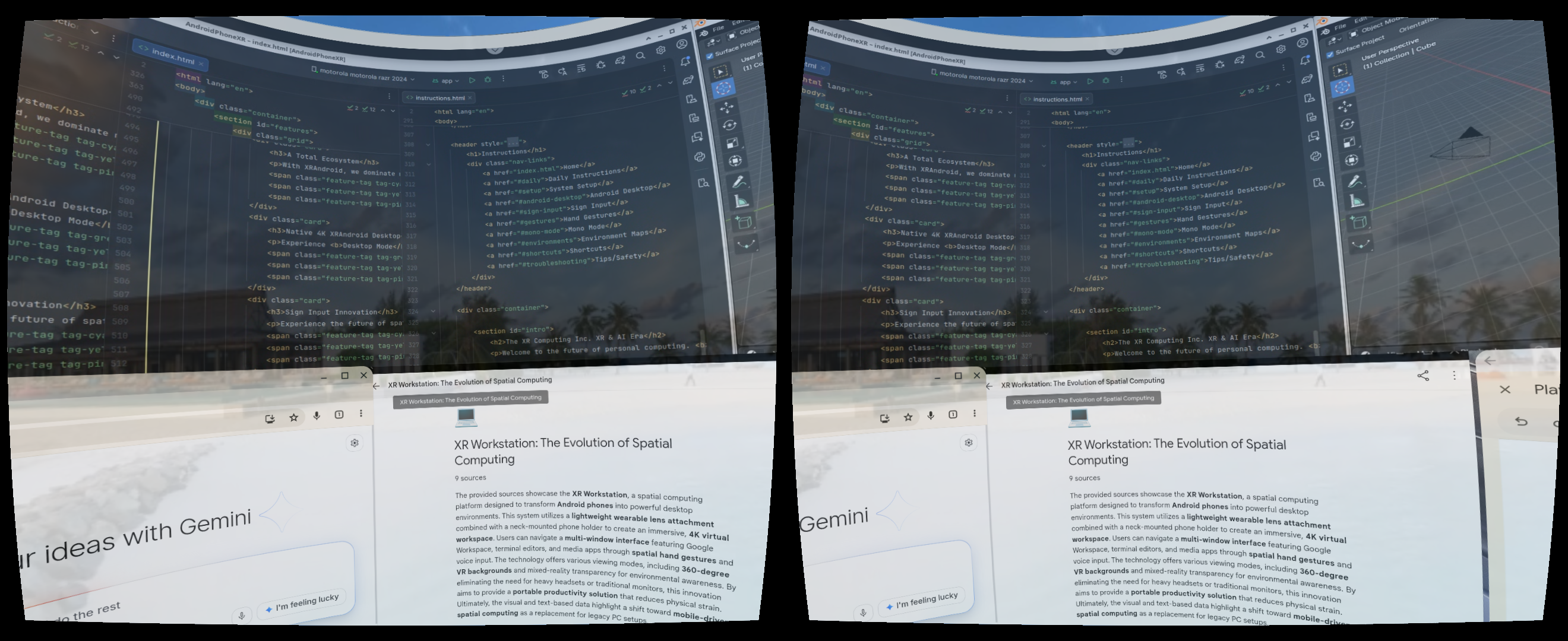
Curved Spatial Screen
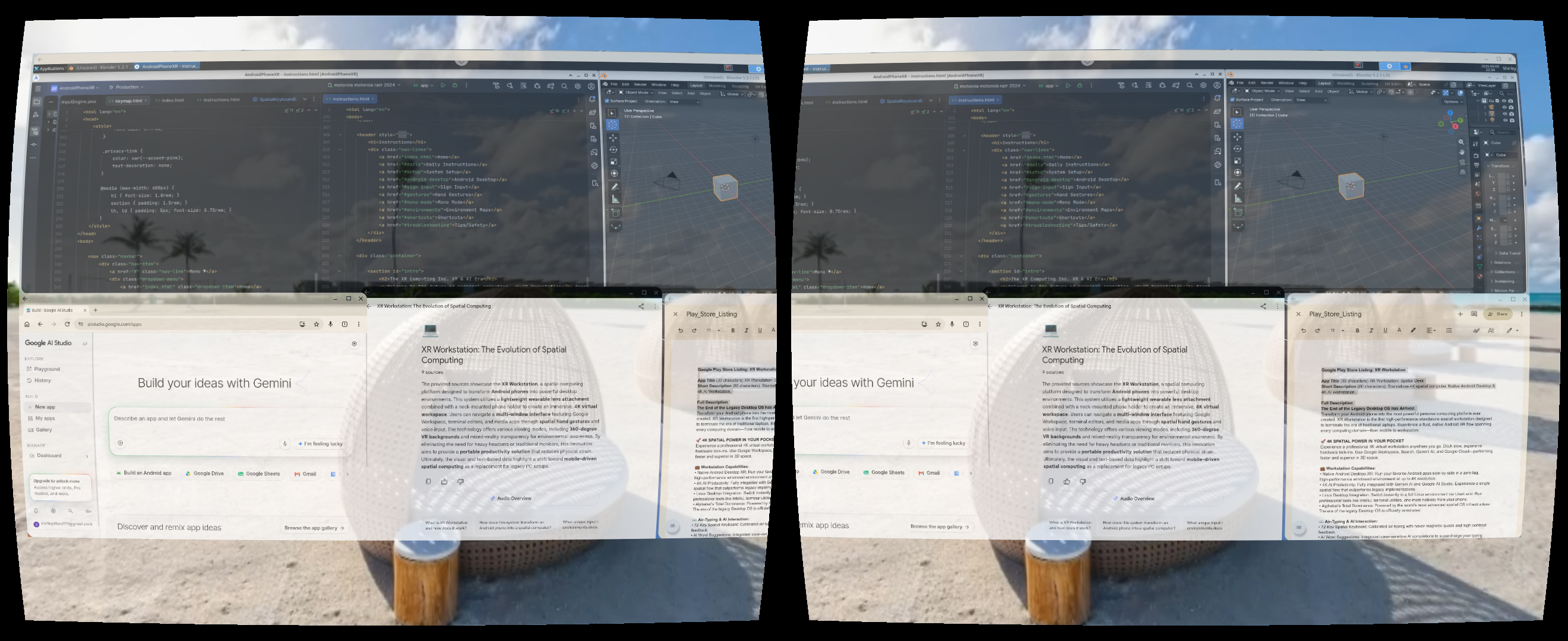
Flat Spatial Screen
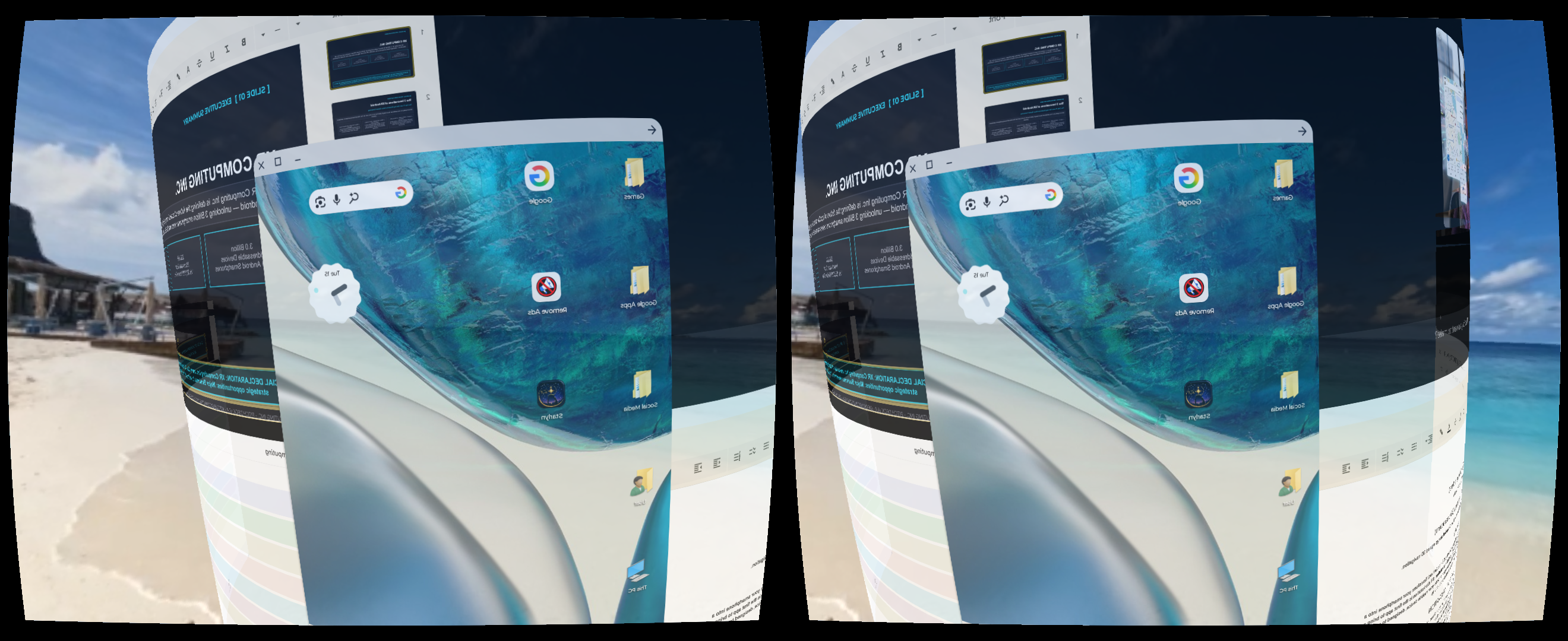
6 DoF Real-Space Anchor Screen
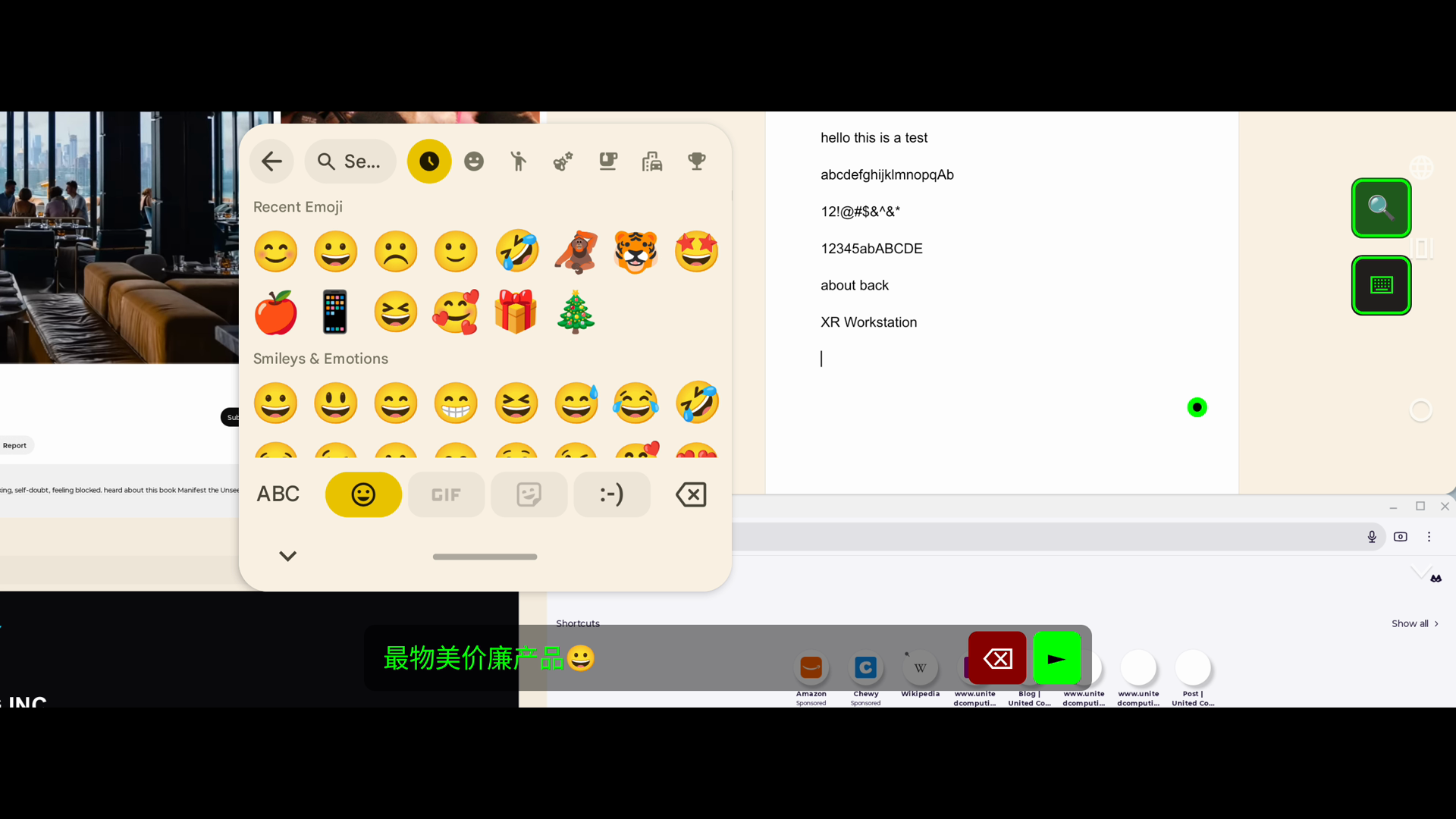
Mono 2D Multi-Touch Workspace
XR Workstation Features
A Total Ecosystem
With XRAndroid, we dominate mobile and desktop computing to all other computing domains. Access full Microsoft replacement such as Google Workspace, Gemini AI, search, cloud, and 4K zero-lag productivity in a single spatial flow.
Total Performance
Full Microsoft Replacement
XR AI Productivity
Native 4K XRAndroid Desktop
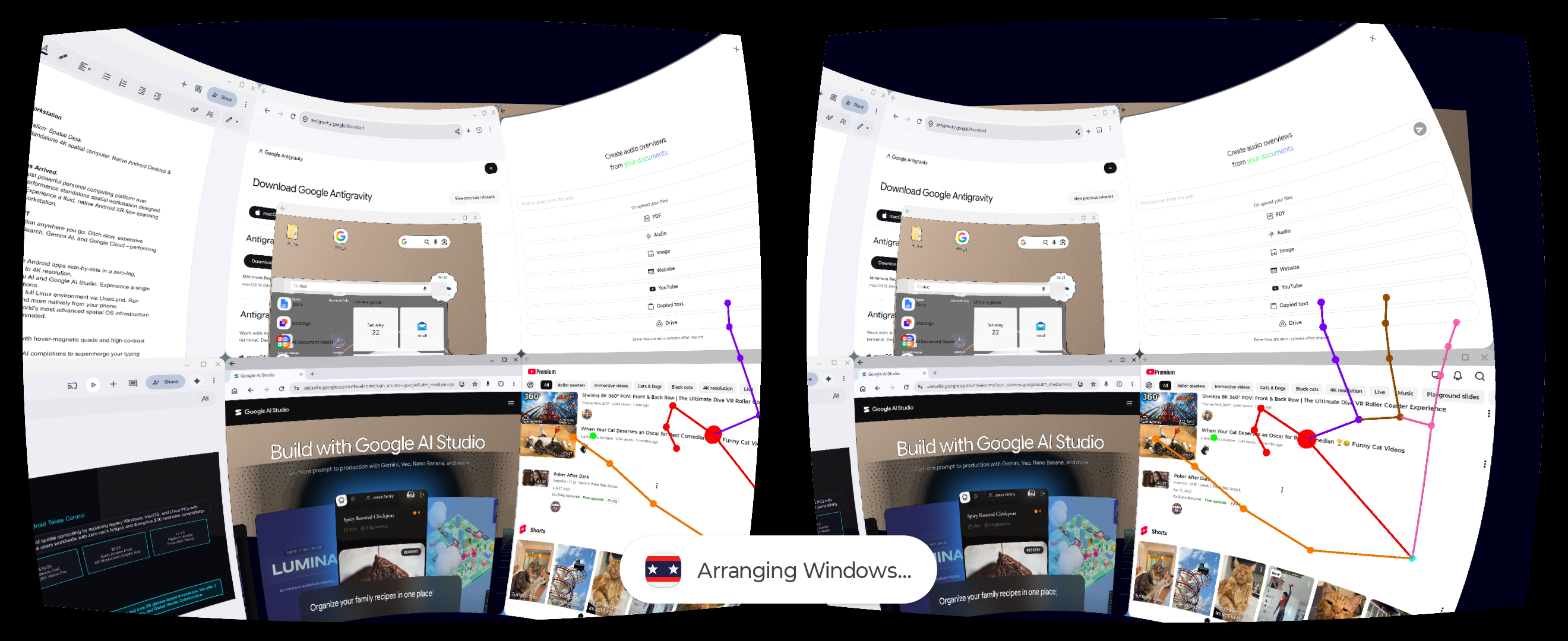
Experience Desktop Mode natively inside your workspace at up to 4K resolution. Switch instantly to windowed apps in a high-performance environment optimized for the XRAndroid AI era with automatic window management.
4K Desktop Support
Native XRAndroid Desktop
Window Management
Sign Input Innovation
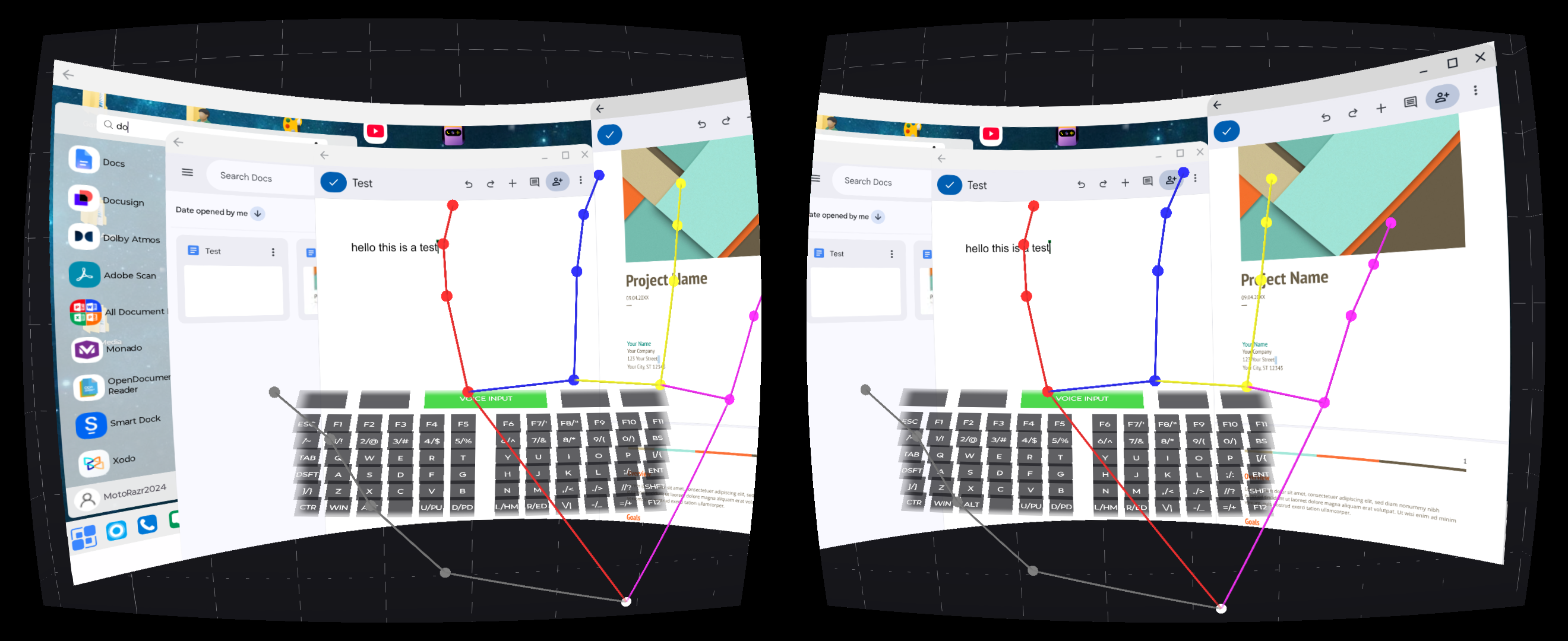
Experience the future of spatial typing. Replace physical keyboards with high-speed Binary Chorded Gestures, Voice Input, and Suggestions. Master system commands and professional window management using only your hands in 3D space.
3D Gesture Chords
Zero Hardware Required
Voice and Suggestions
Virtual Keyboard Innovation
Type straightforwardly and easily with our calibrated 72-key spatial keyboard and navigate effortlessly with Multi-Touch signs. Featuring Air Hover and Curl and Dynamic Hover with hover freeze toggles.
Air Hover and Curl
Dynamic Hover
No Learning Curve
Mono Mode for Phone-Exclusive Desktop Computing
Zero-lag 2D 4K workstation for phone-exclusive productivity without accessories. Maximize thermal/power efficiency. Support Multi-Touch 2D Mono and 3D Mono in VR. Enjoy multitouch zoom/pan, app resizing, or window management, and input bar. Toggle native or clipboard input mode. Switch to VR mode easily. Desktop computing with phone stand and BT keyboard.
2D Direct Rendering
Zoom/Pan & App Resize
Max Thermal & Power Efficiency
360, VR & 2D Live Environments
Enjoy immersive 360, VR, and 2D background video maps while working (seasons, nature, cities, and vision-restoring VR scenes matching stationary reality). Specify custom local MP4 or image playlists to cycle through. Direct YouTube integration comes next.
360/VR/2D Environments
Custom MP4 Playlists
Vision-Restoring VR
Easy Clear Screen & Text Viewing
Seamlessly position and pan your 3D spatial screen in VR space. Toggle between Curved and Flat screen shapes in VR mode, control screen depths, and pan effortlessly via head and hand tracking.
Curved & Flat Shapes
Head & Hand Tracking
Spatial Depth Control
6 DoF Spatial Screen
Pin your curved or flat spatial workstation screen at your physical space using 6 DoF camera tracking, just like high-end camera-equipped XR glasses. Walk closer to enlarge screen details or inspect them from any angle or distance.
6DoF Real-Space Anchor
ARCore Camera Tracking
Walk-Up Spatial Inspection
MR & Desktop Transparency
Experience spatial desktop blending with adjustable transparency. MR see thru mode allows seeing distant objects clearly.
3D Transparency Blending
Vision Enhancement
Distant Object Clarity
Three Strategic Opportunities
XR Computing Inc. is leading the industry through three distinct paths to dominate the spatial computing era. We invite partners to join us in this risk-free, high-growth transition.
1. Global Vendor Collaboration
Phone and XR glasses vendors are invited to synchronize device updates via our private XRAndroid repositories. This enables OS-level pre-installation and hardware-locking for a standardized professional experience.
Direct Repository Sync
2. Tech Giant Co-Leadership
We provide the essential co-leadership bridge that tech giants like Google, Meta, and Samsung need to successfully win the global 3-billion-device market with a working spatial model.
Industry Bridge
3. Major Business Investment
Strategic investment to scale our core XRAndroid infrastructure and global marketing awareness. Join the most promising industrial shift in modern computing history.
Scale the Win
Professional Flyer
Download our official 1-page professional flyer summarizing the XR Workstation ecosystem.
View Print-Ready Flyer
Mastering the Workstation
Watch our tutorials to master the world's most powerful spatial PC environment.
User Insights
"The big screen literally follows you everywhere. It's the most portable workstation I've ever used. Kills the need for a PC in the field."
— Field User
"I can work for hours without eye strain. The vision clarity from the passthrough is a complete game changer for remote work."
— Modern Professional
Stay Informed
Join our global notification list to receive the latest updates on feature rollouts and strategic news.